Flip Image - Mirror Image

Flip Image - Mirror Image

Cards
v5.1.0 (100) • Updated Mar 17, 2026
4.6 ★
18,963 Reviews
1,000,000+
Downloads
Android 8.0+
Requires
AD
Name Flip Image - Mirror Image
Android Version 8.0
Publisher Cards
Genre PHOTOGRAPHY
Size 44 MB
Version 5.1.0 (100)
Last updated on 2026-03-17
Downloads 1,000,000+
Get it On Google Play


Download Flip Image - Mirror Image Android

Download APK (44 MB )

Introductions Flip Image - Mirror Image

Flip multiple images together. You can also rotate images

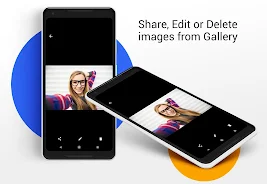
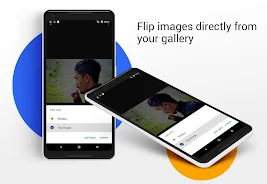
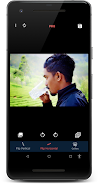
With this app , you can flip(mirror) an image vertically or horizontally.

In many phones, when you take a selfie using your default camera, the picture come without mirroring and you may not have any option in settings. So for just mirroring your selfies, you don't have to download big photo editing apps.

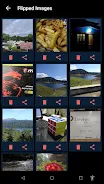
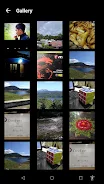
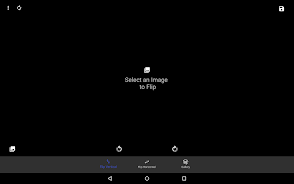
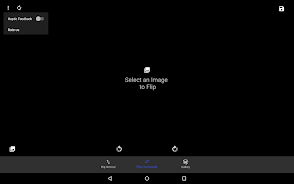
Flip multiple images , Batch image flipping

You can flip image Vertically and Horizontally
Also you can Rotate images.

The app keeps the quality of the image.

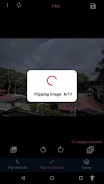
Flip batches of images
- with this app you can flip multiple images in one go
- you dont have to select images one by one and flip them

With this app you can
- flip or rotate jpg images
- flip or rotate png images
- flip or rotate webp images

Free image flip app
- this app is 100% free and you can use it to convert batches of images in one go
AD

Download APK (44 MB )

Frequently Asked Questions

What is the latest version of Flip Image - Mirror Image?
The latest version of Flip Image - Mirror Image is 5.1.0 (100).
Is Flip Image - Mirror Image free to download?
Flip Image - Mirror Image is free to download on Android, but may contain optional in-app purchases.
What is the APK file size of Flip Image - Mirror Image?
The APK file size of Flip Image - Mirror Image is 44 MB.
Is Flip Image - Mirror Image safe and virus-free?
Yes, Flip Image - Mirror Image is completely safe to download and install. The APK is sourced directly from Google Play and verified with the original developer certificate.
How to install Flip Image - Mirror Image on Android?
Download the APK from this page. On your Android device, open the downloaded file, allow installation from unknown sources if prompted, then tap Install.