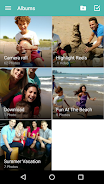
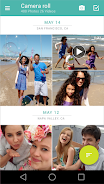
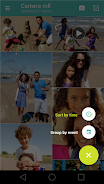
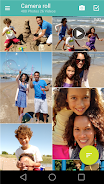
View and share your photos and videos in an immersive, full-screen experience. Easily personalize your photos with frames, filters and more in just a few taps.
Create a Highlight Reel - a collection of your photos and videos set to music, and easily share it with friends and family. Highlight Reels are available on Moto X Pure Edition, Moto X Style, Moto X Play, Moto X (1st and 2nd gen.), DROID Turbo, DROID Turbo 2, Moto Maxx/Turbo and Moto X Pro.
Face Recognition: Tag people appearing in photos and videos, and organize them automatically. Create a single highlight reel from different events based on the people appearing in them. Available on Moto X Pure edition, Moto X Style and Moto X Play.
The latest version of Motorola Gallery is 530036 (530036).
Is Motorola Gallery free to download?
Motorola Gallery is free to download on Android, but may contain optional in-app purchases.
What is the APK file size of Motorola Gallery?
The APK file size of Motorola Gallery is 14 MB.
Is Motorola Gallery safe and virus-free?
Yes, Motorola Gallery is completely safe to download and install. The APK is sourced directly from Google Play and verified with the original developer certificate.
How to install Motorola Gallery on Android?
Download the APK from this page. On your Android device, open the downloaded file, allow installation from unknown sources if prompted, then tap Install.