By clicking INSTALL, you accept the License Terms: http://aka.ms/myappseula
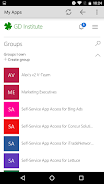
This app provides single sign-on to thousands of cloud applications using a single user account. You may already use the My Apps page to access the apps that you need at work or school if your organization uses Azure Active Directory. My Apps for Android allows you to access those same apps from your Android devices.
To use this app within your organization, contact your system administrator.
By clicking INSTALL, you accept the License Terms: http://aka.ms/myappseula
My Apps is free to download on Android, but may contain optional in-app purchases.
What is the APK file size of My Apps?
The APK file size of My Apps is 782 KB.
Is My Apps safe and virus-free?
Yes, My Apps is completely safe to download and install. The APK is sourced directly from Google Play and verified with the original developer certificate.
How to install My Apps on Android?
Download the APK from this page. On your Android device, open the downloaded file, allow installation from unknown sources if prompted, then tap Install.