Xiaomi Community

Xiaomi Community

Xiaomi
v5.4.32 (500432) • Updated Mar 17, 2026
4.2 ★
125,388 Reviews
10,000,000+
Downloads
Android 5.0+
Requires
AD
Name Xiaomi Community
Android Version 5.0
Publisher Xiaomi
Genre SOCIAL
Size 28 MB
Version 5.4.32 (500432)
Last updated on 2026-03-17
Downloads 10,000,000+
Get it On Google Play


Download Xiaomi Community Android

Download APK (28 MB )

Introductions Xiaomi Community

Xiaomi Community-The official community/forum app for Xiaomi Fans.

The official community/forum app for Xiaomi Fans.

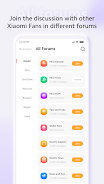
Get exclusive access to the latest official brand and product news, MIUI updates, events, and contests. Share your experience and engage with Xiaomi Fans all over the world.

With the Xiaomi Community app, you'll be able to:
● Access the exclusive Xiaomi News hub
● Ask other Xiaomi Fans about their user experience and solutions
● Join Circles to engage with users with similar interests
● Use the built in messenger to communicate with Xiaomi Fans around the world
● Download the latest MIUI ROMs
● Join Xiaomi Fans’ clubs around the world

Xiaomi Fans all over the world get together in community to share, engage, help, and make friends with each other.

Xiaomi Community is the place for Xiaomi Fans from all over the world to come together and share, engage, help, and make friends with each other.

Better together in Xiaomi Community
AD

Download APK (28 MB )

Frequently Asked Questions

What is the latest version of Xiaomi Community?
The latest version of Xiaomi Community is 5.4.32 (500432).
Is Xiaomi Community free to download?
Xiaomi Community is free to download on Android, but may contain optional in-app purchases.
What is the APK file size of Xiaomi Community?
The APK file size of Xiaomi Community is 28 MB.
Is Xiaomi Community safe and virus-free?
Yes, Xiaomi Community is completely safe to download and install. The APK is sourced directly from Google Play and verified with the original developer certificate.
How to install Xiaomi Community on Android?
Download the APK from this page. On your Android device, open the downloaded file, allow installation from unknown sources if prompted, then tap Install.