Introductions Samsung Keyboard
Avoir du plaisir avec frappe clavier Samsung.
Various input methods and convenient features help make typing easier and more convenient for you.[Key Features]
• Multilanguage support
- Samsung Keyboard supports over 80 languages.
• Smart typing
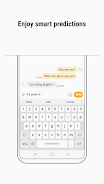
- Predictive text: Learns how you type and recommends words and phrases as you type. The recommendation feature will perform better based on the data Samsung Keyboard gathers for each user.
- Auto spell check: Finds typos and suggests correct alternatives.
- Text shortcuts: Creates shortcuts for frequently used words and phrases. You can easily input text by typing shortcuts and selecting text from the recommendation window.
- Switching input languages: You can change the input language by swiping the spacebar to the left or right.
- It provides optimized keys for different input windows such as address, email, and search.
- Samsung Keyboard analyzes how you usually type, so it will correct your typos.
• Various input methods
- Clipboard: You can select text or images saved to the clipboard, and paste them.
- Keyboard swipe controls: You can input text or move the cursor by performing gestures on the keyboard screen.
- Voice input and Handwriting recognition are available.
- Split keyboard, Floating keyboard, and One-handed input keyboard are available.
• Keyboard custom settings
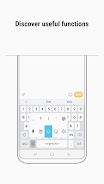
- Long-press the Custom key to open the Option and Symbol list, and select one that you want to assign a shortcut for. (e.g., Voice input, Handwriting recognition, Clipboard, Emoji, One-handed input mode, Keyboard settings, or Symbols)
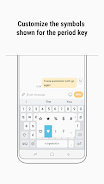
- Custom symbols: Save your frequently used symbols and favorite symbols, and use them later. Open the Symbol list by long-pressing the period (.) to easily input symbols.
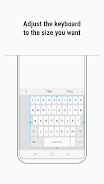
- Keyboard size, Number keys, and Alternative characters: You can adjust the keyboard size freely in all four directions, and also decide whether or not the Number keys and Alternative characters should be included on the keyboard.
- High contrast keyboard: Samsung Keyboard provides a high-contrast keyboard to take into account users with low vision or color vision impairment.
• Other features
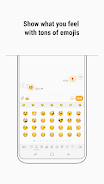
- Emoji: Express your personality in a fun way using over 3,000 emojis.
- Language update: It adds and learns new words on a regular basis. You can update languages via the Keyboard settings.
- Backup and restore: You can back up and restore the Keyboard settings and data using Samsung Cloud.
- It provides optimized keyboard layouts when you are using Car mode, Samsung DeX, or a Keyboard cover, and also supports text input via a hardware keyboard.
※ The available features may differ depending on the country or the device.
[Supported Languages]
English (US, UK, AU), Italian, Spanish (US, ES), Galician, Catalan, Basque, Dutch, Polish, Portuguese, Norwegian, Danish, Swedish, Finnish, Icelandic, Estonian, Romanian, Bosnian, Latvian, Lithuanian, Slovak, Turkish, Azerbaijani, Albanian, Vietnamese, Tagalog, Uzbek, Afrikaans, Javanese, Sundanese, Turkmen, Swahili, Yoruba, Igbo, Hausa, Twi, Zulu, Sesotho, Xhosa, Irish, Silesian, Indonesian, Malay, German, Czech, Croatian, Slovenian, Hungarian, Serbian, French (FR, CA), Malagasy, Russian, Bulgarian, Ukrainian, Kazakh, Macedonian, Mongolian, Kyrgyz, Tajik, Belarus, Arabic, Farsi, Urdu, Hindi, Tamil, Kannada, Gujarati, Telugu, Malayalam, Bengali, Assamese, Punjabi, Sinhala, Nepali, Marathi, Oriya (Odia), Maithili, Greek, Hebrew, Georgian, Armenian, Korean, Simplified Chinese | Mainland, Traditional Chinese | HK, Traditional Chinese | TW, Japanese, Thai, Lao, Khmer, Myanmar, Tibetan.