Microsoft Hyperlapse Mobile

Microsoft Hyperlapse Mobile

Microsoft Corporation
v1.7.2016.03020 (620160302) • Updated Mar 17, 2026
3.6 ★
44,091 Reviews
1,000,000+
Downloads
Android 4.4+
Requires
AD
Nome Microsoft Hyperlapse Mobile
Versione Android 4.4
Editore Microsoft Corporation
Genre PHOTOGRAPHY
Size 17 MB
Versione 1.7.2016.03020 (620160302)
Ultimo aggiornamento il 2026-03-17
Downloads 1,000,000+
Accendilo Google Play


Download Microsoft Hyperlapse Mobile Android

Download APK (17 MB )

Introductions Microsoft Hyperlapse Mobile

Microsoft Hyperlapse Mobile creates smooth and stabilized time lapse videos.

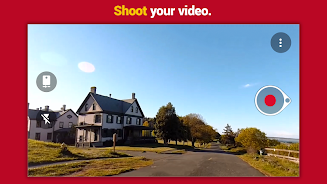
Microsoft Hyperlapse is a simple app to help you shoot smooth and stable time-lapse videos, or quickly upload and enhance your existing videos. 

Features: 
· Instant gratification: Capture the video, see the Hyperlapse immediately.
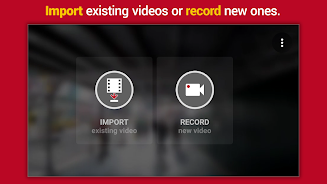
· Import existing video: Create a hyperlapse of any video you’ve already shot on your phone.
· Multiple speeds: Choose from 1x to 32x times the normal speed.
· Multiple HD Resolutions: Save in 720 or 1080p, if supported by your device.
· Stabilize-only mode:  Select 1x for stabilization without time-lapse, and keep the video’s audio track.
· Share: It’s easy to post your hyperlapses on popular social media and video sites such as Twitter, Facebook, or Instagram.
· Save to SD:  Save finished videos to SD storage (on compatible devices)
· Hyperlapse Mobile requires Android 4.4 or 5.0 (KitKat and Lollipop)
AD

Download APK (17 MB )

Frequently Asked Questions

What is the latest version of Microsoft Hyperlapse Mobile?
The latest version of Microsoft Hyperlapse Mobile is 1.7.2016.03020 (620160302).
Is Microsoft Hyperlapse Mobile free to download?
Microsoft Hyperlapse Mobile is free to download on Android, but may contain optional in-app purchases.
What is the APK file size of Microsoft Hyperlapse Mobile?
The APK file size of Microsoft Hyperlapse Mobile is 17 MB.
Is Microsoft Hyperlapse Mobile safe and virus-free?
Yes, Microsoft Hyperlapse Mobile is completely safe to download and install. The APK is sourced directly from Google Play and verified with the original developer certificate.
How to install Microsoft Hyperlapse Mobile on Android?
Download the APK from this page. On your Android device, open the downloaded file, allow installation from unknown sources if prompted, then tap Install.