Introductions AdGuard
Android용 AdGuard APK을 다운로드합니다 - 무료를 - 최신 버전
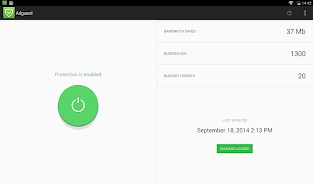
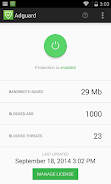
AdGuard for Android is an ideal solution for Android mobile devices. In contrast to other ad blockers, AdGuard doesn't require root access and it provides a broad spectrum of features: filtering in apps, apps management and much more.AdGuard is a unique no root ad blocker for Android that removes ads in apps and browsers, protects your privacy, and helps you manage your apps
Easy to set up and get going, but powerful and highly customizable — it has everything you'll ever need from an Android adblock tool, and it works both on rooted and unrooted devices.
Blocks ads everywhere
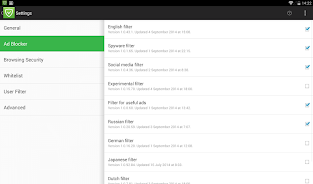
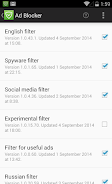
Block throughout the whole system. This includes video ads and ads in your favorite apps, browsers, games, and on any website you can imagine. Dozens of ad filters are available to you and are updated on a regular basis, guaranteeing the best filtering quality.
Cares about your privacy
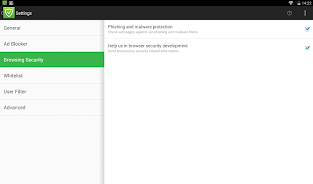
We value the privacy of your personal data above anything else. With AdGuard, you will be safe from online trackers and analytics systems that lurk on the web trying to steal your sensitive information.
Saves your traffic
More ads blocked means fewer ads loaded. Fewer ads loaded means more traffic saved. Simple math by AdGuard! Download the apk file, install the app and spend your traffic on things you like instead of wasting it on voracious ads.
You stay in control
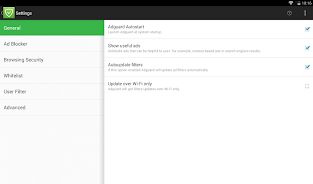
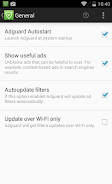
It is your device, after all, and you decide what gets filtered and what doesn’t. A wide range of settings — from basic to 'pro' — as well as an Apps Management tool will help you customize the filtering to your liking.
Manage your apps
You can completely shut down cellular/WiFi access for any app and just as easily as restore it. Thus, you control which apps transmit data.
Customize filtering
Don't want a particular app or browser to be filtered for whatever reason? No problem — one tap and it is excluded from filtering.
FAQ
What is the difference between AdGuard Content Blocker and AdGuard for Android?
The difference is huge. Content blockers in general are not only limited to specific (and few) browsers, but are much less potent in terms of ad fighting tools they have at their disposal. AdGuard for Android, being a standalone app, can block ads in all browsers and even in other apps, and the filtering quality is so much higher.
Why is AdGuard for Android not in the Google Play Store?
Google has a very peculiar policy towards ad blockers in Play Store. Basically, it means that any app that can block ads across the device is not allowed there, leaving flimsy content blockers as the only option. AdGuard has been removed from the Play Store as well.
What's the difference between free and Premium versions of AdGuard for Android?
While the free version is excellent at removing ads from browsers, it doesn't filter other apps' traffic. It also doesn't have the Safebrowsing feature.
I can still see ads in some apps and on some websites. What do I have to do?
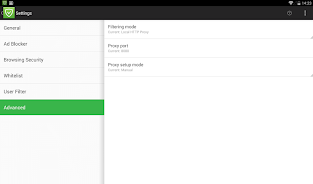
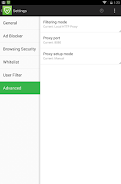
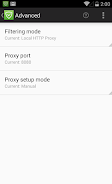
Most likely, you need to enable the HTTPS filtering. A lot of ads are loaded via HTTPS, and AdGuard is capable of blocking them, too. Go to Settings --> HTTPS Filtering and turn it on. The other thing to do is to make sure you use the 'High quality' filtering mode (Settings --> Advanced).
Do I need root access?
No, it is not necessary. Unlike many other ad blockers, AdGuard can work in VPN mode, which lets it block ads even on non-rooted devices.
Can I use a different VPN app along with AdGuard?
Unfortunately, it is impossible to run two VPNs at the same time on Android, but there are some ways to circumvent this limitation. If your device is rooted, or if you only care about blocking ads in WiFi networks, you can switch AdGuard to proxy mode and let any other app to use VPN. Additionally, some VPNs allow the use of upstream proxy (e.g., PIA VPN, Nord VPN) — check if your specific VPN provides this option.
adguard.com/en/adguard-android/overview.html