Introductions Samsung Smart View 1.0
This app connects you to 2011/2012 Samsung Smart TV.
[Notification]Due to a change in content protection rules, the Dual View feature within Samsung Smart View may not be available on certain mobile devices after August 10, 2012
[Supported Models]
- Samsung Smart TV released in 2011:
Models greater or equal to LED 7000, PDP 8000
- Samsung Smart TV released in 2012:
Models greater or equal to LED ES7500,(Models greater or equal to LED ES7000 in Europe, Models greater or equal to PDP E8000 Models(E7000 Models in North America)
- Samsung Smart Phone:
Galaxy S2 (Dual View is available on devices with Ice Cream Sandwich OS .
In a few regions, Dual View is not available due to carriers' policy.)
- Galaxy Player (YP-G70)
[About the Application]
This application is Wi-Fi remote control for Samsung Smart TV. If both your phone and TV are connected to the same wireless Router, your phone will link to the TV automatically where you can use your phone like a remote control. The TV can also transfer live feeds to your phone.
[Main Features]
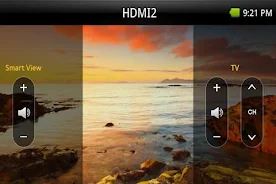
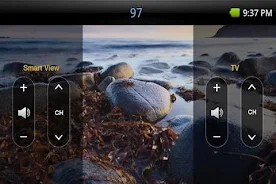
- Dual View
Enjoy TV and other multimedia right from your mobile device that’s connected to Samsung Smart TV.
(Dual View is available on devices with Ice Cream Sandwich OS .
In a few regions, Dual View is not available due to carriers' policy.)
- Bluetooth PowerOn
You can use your mobile device to turn on your TV using Bluetooth (available for certain TV and mobile devices only).
- Remote
Your mobile device can work as remote for your Samsung TV or BD products. Full remote screen is provided by default, and three tabs are provided at the bottom of the screen to help you control connected devices with ease. On screen keyboard shows up automatically when you need to enter text.
- Game Controller
With this feature, your mobile device can control games on TV. Full and Simple modes are available. Turn on Gyro function on your mobile device, and control games by tilting your mobile device.
- Movie Note (Models BD-E5900 or above, HTE4000or above (US only))
You can get information of DVD/BD title on your mobile, while you watching movies.
Ratings, synopsis, cast and director's information will be provided.
- Audio Settings (Models HT- E4000 or above)
You can control your speaker system by your phone.
Sound mode, distance of each speaker and sound level(dB) can be changed.
- Remote Scheduler (Models BD-E8000 series, STB-E7000 series EU/Australia/New Zealand Only)
Recording TV shows through your TV when you're outside.
- Settings
You can fine-tune control for TV and BD by adjusting gesture sensitivity in your mobile device.
[How to set up]
1.Check if Wireless Remote Control or Network Remote Control is enabled in your TV’s System or Setup menu. If you don’t see either of them in the menu, Samsung Smart View App can’t be used in your mobile device.
2.Connect wireless/wired router to TV LAN port, or connect Samsung Wireless LAN adapter to TV USB port.
3.Connect your phone to wireless/wired router.