Introductions AppLock Pro - App Lock & Guard
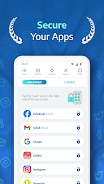
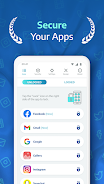
Secure your apps with lock screens, use custom themes and different features.
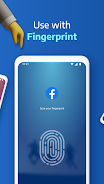
Protect your apps and photos with AppLock Pro — a fast, secure, and easy-to-use app locker trusted by millions.Whether you're guarding private messages, social media apps, or sensitive photos, Applock Pro keeps your data safe from intruders — with smart features like fingerprint unlock, spy camera, and customizable lock styles.
🔐 Top Features:
✔ Lock Any App
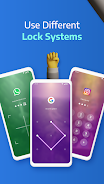
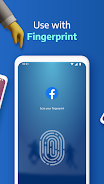
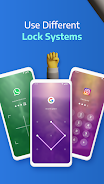
Secure WhatsApp, Instagram, Messenger, Gallery, Settings, and more using PIN, pattern, fingerprint (if supported), or KnockCode.
📸 Spy Camera Protection
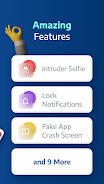
Catch snoopers in the act! A secret photo is taken when someone enters the wrong password.
🧠 Fake Error Message
Trick intruders with a fake error screen instead of showing the app is locked.
🔕 Hide Notifications
Block or hide sensitive notifications from locked apps.
⏱ Lock Timer & Auto Re-Lock
Set AppLock to auto-disable during certain hours, or re-lock after a short break.
🚨 Spy Alarm
Trigger a loud alarm if the wrong password is entered multiple times.
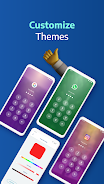
🎨 Custom Themes
Change the look and feel. Set a custom background using your own gallery photos.
⚙️ Smart Settings
Lightweight and optimized for battery & RAM. Includes vibration, new app alerts, lock recent apps, and more.
🛡️ Lock Types:
Fingerprint (if supported by your device)
KnockCode – a unique and secure unlock method
Pattern – simple and fast
PIN – 4 to 8-digit password
📌 Frequently Asked Questions
Q: How do I prevent AppLock Pro from being uninstalled?
Lock system settings and enable “Hide Icon” for extra protection.
Q: Why are permissions needed?
We only request permissions necessary for advanced features like custom backgrounds.
Q: What if I forget my password?
Use your secret answer to reset it easily.
Q: Can I hide photos and videos?
Lock the Gallery app to block access to your media.
Q: How does the spy camera work?
After 5 failed password attempts, AppLock Pro snaps a front-camera photo and stores it securely.
Ready to protect your privacy?
Download AppLock Pro now and take control of your app security.