FM Radio

FM Radio

Motorola Mobility LLC.
v02.06.0010 (20600100) • Updated Mar 17, 2026
3.9 ★
124,160 Reviews
500,000,000+
Muat turun
Android 5.1++
Requires
AD
Nama FM Radio
Versi Android 5.1+
Penerbit Motorola Mobility LLC.
Genre MUSIC AND AUDIO
Saiz 6 MB
Versi 02.06.0010 (20600100)
Kali terakhir dikemas kini pada 2026-03-17
Muat turun 500,000,000+
Dapatkan di Google Play


Muat turun FM Radio Android

Download APK (6 MB )

Introductions FM Radio

Listen to your favorite FM radio stations for free on your Motorola phone

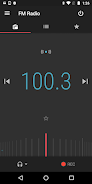
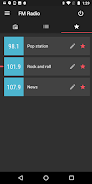
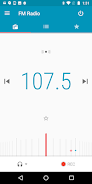
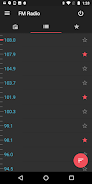
Motorola FM Radio makes it easy to scan for stations, build your favorites list, set your sleep timer, record the best songs, and see live information about what’s playing -- all with a cool Material Design look.

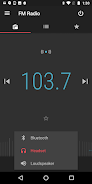
This application has been designed to work on Motorola phones with an enabled FM chipset and running Android 6.0 (Marshmallow) and above. You may play through a wired headset, Bluetooth headset, or loudspeaker. For the best performance, you should connect a wired headset or Digital TV dongle to act as the FM antenna.

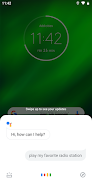
Voice commands*: You can also use the Google Assistant to manage your FM Radio hands-free. You can find a list of supported commands in the Options menu.

*Languages supported: U.S. English, Brazilian Portuguese, Latin American Spanish, UK English, French (EU), Italian, German, and Spanish (EU)

Note: Features, functions, screens and supported languages may vary by phone model.
AD

Download APK (6 MB )

Frequently Asked Questions

What is the latest version of FM Radio?
The latest version of FM Radio is 02.06.0010 (20600100).
Is FM Radio free to download?
FM Radio is free to download on Android, but may contain optional in-app purchases.
What is the APK file size of FM Radio?
The APK file size of FM Radio is 6 MB.
Is FM Radio safe and virus-free?
Yes, FM Radio is completely safe to download and install. The APK is sourced directly from Google Play and verified with the original developer certificate.
How to install FM Radio on Android?
Download the APK from this page. On your Android device, open the downloaded file, allow installation from unknown sources if prompted, then tap Install.