Introductions Google BrailleBack
ใช้อุปกรณ์แสดงผลอักษรเบรลล์กับอุปกรณ์ Android
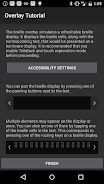
BrailleBack คือบริการเข้าถึงพิเศษที่ช่วยให้ผู้พิการทางสายตาใช้งานอุปกรณ์อักษรเบรลล์ได้ โดยทำงานร่วมกับแอป TalkBack เพื่อมอบประสบการณ์ที่ผสานรวมทั้งอักษรเบรลล์และการพูดแอปนี้ช่วยให้คุณเชื่อมต่อจอแสดงผลอักษรเบรลล์แบบรีเฟรชได้ที่รองรับเข้ากับอุปกรณ์ของคุณผ่านทางบลูทูธ เนื้อหาในหน้าจอจะนำเสนอในจอแสดงผลอักษรเบรลล์ คุณสามารถไปยังส่วนต่างๆ และโต้ตอบกับอุปกรณ์โดยใช้แป้นในจอแสดงผล และป้อนข้อความโดยใช้แป้นพิมพ์อักษรเบรลล์ได้
อุปกรณ์ที่รองรับในเวอร์ชันนี้ได้แก่
• APH Refreshabraille
• Baum VarioConnect
• Baum VarioUltra
• Esys EuroBraille
• Freedom Scientific Focus Blue (รุ่น 14 และรุ่น 40 เซลล์)
• HandyTech (Basic Braille, Active Braille, Braille Star, Braille Wave, Braillino, Easy Braille)
• Harpo (Braillepen 12, Braillepen 12 Touch)
• HIMS (BrailleSense, Braille EDGE)
• Humanware Brailliant (รุ่นที่ 1 และรุ่น BI)
• Optelec Alva (BC640, BC680), Easylink 12 touch
• Orbit Reader 20
• Papenmeier Braillex Trio
• Seika (Notetaker และจอแสดงผล 40 เซลล์)
แอปนี้ไม่ได้เปิดใช้งานโดยค่าเริ่มต้น
ขั้นตอนในการเปิดใช้งานแอปมีดังนี้
• ไปที่การตั้งค่า
• เลือกการเข้าถึงพิเศษ
• เลือก BrailleBack แล้วเลื่อนสวิตช์ไปที่ตำแหน่งเปิด
• กลับไปที่การตั้งค่า
• เลือกบลูทูธ
• หากจอแสดงผลอักษรเบรลล์ที่เชื่อมต่อด้วยบลูทูธไม่ได้จับคู่อยู่ โปรดตรวจสอบว่าจอแสดงผลอยู่ในโหมดจับคู่อุปกรณ์แล้วจับคู่จอแสดงผลผ่านการตั้งค่าบลูทูธ
สำหรับวิธีการเพิ่มเติม ให้กด Space Bar และจุด 1, 2 และ 3 ในจอแสดงผลพร้อมกัน หากจอแสดงผลไม่มีแป้นอักษรเบรลล์ ให้เลือกความช่วยเหลือแป้นพิมพ์ในการตั้งค่าของ BrailleBack