Remote Desktop 8

Remote Desktop 8

Microsoft Corporation
v8.1.82.445 (95) • Updated Mar 17, 2026
3.7 ★
99,064 Reviews
10,000,000+
下載
Android 4.1+
Requires
AD
姓名 Remote Desktop 8
安卓版本 4.1
出版商 Microsoft Corporation
類型 BUSINESS
尺寸 18 MB
版本 8.1.82.445 (95)
最後更新於 2026-03-17
下載 10,000,000+
Get it On Google Play


下載 Remote Desktop 8 Android

Download APK (18 MB )

Introductions Remote Desktop 8

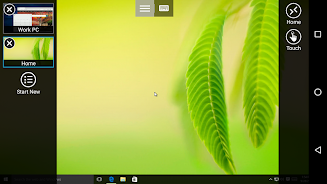
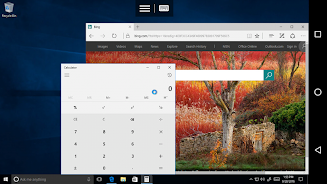
Microsoft Remote Desktop provides remote access to Windows desktops and apps.

使用Microsoft遠程桌面應用程序連接到遠程PC或管理員可以使用的虛擬應用程序和桌面。使用Microsoft遠程桌面,無論您身在何處都可以提高工作效率。


入門
+通過https://aka.ms/rdanddocs了解如何使用Microsoft遠程桌面。
+通過https://aka.ms/rdclients了解我們的其他遠程桌面客戶端。
+在https://aka.ms/rdandfbk上提交反饋。


功能
+訪問運行Windows Professional或Enterprise和Windows Server的遠程PC
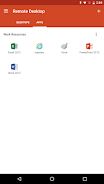
+訪問由您的IT管理員發布的遠程資源
+通過遠程桌面網關遠程連接
+豐富的多點觸控體驗,支持Windows手勢
+安全連接到您的數據和應用程序
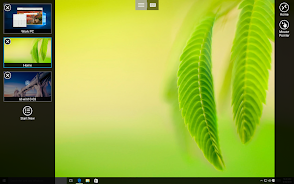
+從連接中心輕鬆管理您的連接
+高品質的視頻和音頻流


權限
此應用需要某些權限才能使用該應用中的功能。這些在下面列舉。


可選訪問
[存儲]:啟用重定向本地存儲功能後,需要訪問權限才能從遠程桌面會話訪問本地驅動器和文檔。
AD

Download APK (18 MB )

Frequently Asked Questions

What is the latest version of Remote Desktop 8?
The latest version of Remote Desktop 8 is 8.1.82.445 (95).
Is Remote Desktop 8 free to download?
Remote Desktop 8 is free to download on Android, but may contain optional in-app purchases.
What is the APK file size of Remote Desktop 8?
The APK file size of Remote Desktop 8 is 18 MB.
Is Remote Desktop 8 safe and virus-free?
Yes, Remote Desktop 8 is completely safe to download and install. The APK is sourced directly from Google Play and verified with the original developer certificate.
How to install Remote Desktop 8 on Android?
Download the APK from this page. On your Android device, open the downloaded file, allow installation from unknown sources if prompted, then tap Install.