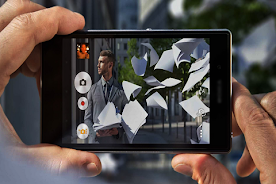
HD Camera For iphone7 Plus

HD Camera For iphone7 Plus

exelart
v30.04.24 (105) • Updated Mar 17, 2026
5.0 ★
10 Reviews
100+
Downloads
Android 4.1+
Requires
AD
Name HD Camera For iphone7 Plus
Android Version 4.1
Publisher exelart
Genre PHOTOGRAPHY
Size 2 MB
Version 30.04.24 (105)
Last updated on 2026-03-17
Downloads 100+
Get it On Google Play


Download HD Camera For iphone7 Plus Android

Download APK (2 MB )

Introductions HD Camera For iphone7 Plus

the best camera app for your smartphone

HD Camera For iphone7 Plus

Apple officially introduced its latest smartphone, the iPhone 7 Plus. The device is equipped with a 24-megapixel main camera with F1.8 lens berbukaan.


Excellence HD camera Foriphone7 Plus :

- Optical image stabilization
- Lens of six elements
- Flash True Tone Quad LED
- Panorama (up to 63 MP)
- Cover of sapphire crystal lens
- Back side lighting sensor
- Hybrid IR Filter
- Auto focus with Focus Pixels
- Tap to focus with Focus Pixels
- Live Photo with stability
- Photo capture and Live Photo with wide color range
- Improved local color mapping
- Detection of body and face
- Exposure control
- Noise reduction
- HDR automatically for photos
- Auto image stabilization
- Streak mode
- Timer mode
- Map location marker
- Captured image format: HEIF and JPEG
AD

Download APK (2 MB )

Frequently Asked Questions

What is the latest version of HD Camera For iphone7 Plus?
The latest version of HD Camera For iphone7 Plus is 30.04.24 (105).
Is HD Camera For iphone7 Plus free to download?
HD Camera For iphone7 Plus is free to download on Android, but may contain optional in-app purchases.
What is the APK file size of HD Camera For iphone7 Plus?
The APK file size of HD Camera For iphone7 Plus is 2 MB.
Is HD Camera For iphone7 Plus safe and virus-free?
Yes, HD Camera For iphone7 Plus is completely safe to download and install. The APK is sourced directly from Google Play and verified with the original developer certificate.
How to install HD Camera For iphone7 Plus on Android?
Download the APK from this page. On your Android device, open the downloaded file, allow installation from unknown sources if prompted, then tap Install.