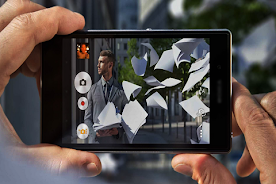
HD Camera For iphone7 Plus

HD Camera For iphone7 Plus

exelart
v30.04.24 (105) • Updated Mar 17, 2026
5.0 ★
10 Reviews
100+
Lượt tải
Android 4.1+
Requires
AD
Tên HD Camera For iphone7 Plus
Yêu cầu Android 4.1
Nhà phát hành exelart
Thể loại PHOTOGRAPHY
Kích thước 2 MB
Phiên bản 30.04.24 (105)
Cập nhật 2026-03-17
Lượt tải 100+
Xem trên Google Play Google Play


Tải về HD Camera For iphone7 Plus Android

Tải APK (2 MB )

Giới thiệu về HD Camera For iphone7 Plus

ứng dụng camera tốt nhất cho điện thoại thông minh của bạn

HD Camera For iphone7 Plus

Apple officially introduced its latest smartphone, the iPhone 7 Plus. The device is equipped with a 24-megapixel main camera with F1.8 lens berbukaan.


Excellence HD camera Foriphone7 Plus :

- Optical image stabilization
- Lens of six elements
- Flash True Tone Quad LED
- Panorama (up to 63 MP)
- Cover of sapphire crystal lens
- Back side lighting sensor
- Hybrid IR Filter
- Auto focus with Focus Pixels
- Tap to focus with Focus Pixels
- Live Photo with stability
- Photo capture and Live Photo with wide color range
- Improved local color mapping
- Detection of body and face
- Exposure control
- Noise reduction
- HDR automatically for photos
- Auto image stabilization
- Streak mode
- Timer mode
- Map location marker
- Captured image format: HEIF and JPEG
AD

Tải APK (2 MB )

Câu hỏi thường gặp

HD Camera For iphone7 Plus phiên bản mới nhất là gì?
Phiên bản mới nhất của HD Camera For iphone7 Plus là 30.04.24 (105).
HD Camera For iphone7 Plus có miễn phí tải xuống không?
HD Camera For iphone7 Plus miễn phí tải về trên Android, nhưng có thể có mua trong ứng dụng.
Dung lượng file APK của HD Camera For iphone7 Plus là bao nhiêu?
Dung lượng file APK của HD Camera For iphone7 Plus là 2 MB.
HD Camera For iphone7 Plus có an toàn và sạch virus không?
Có, HD Camera For iphone7 Plus hoàn toàn an toàn để tải về và cài đặt. APK được lấy trực tiếp từ Google Play và xác minh bằng chứng chỉ gốc của nhà phát triển.
Cách cài đặt HD Camera For iphone7 Plus trên Android?
Tải APK từ trang này. Mở file vừa tải trên thiết bị Android, cho phép cài đặt từ nguồn không xác định nếu được yêu cầu, sau đó nhấn Cài đặt.