ASUS Weather

ASUS Weather

Mobile, ASUSTek Computer Inc.
v31.2.1.12_220718 (1810201060) • Updated Mar 17, 2026
4.1 ★
446,186 Reviews
100,000,000+
ডাউনলোড
Android 9.0+
Requires
AD
নাম ASUS Weather
অ্যান্ড্রয়েড সংস্করণ 9.0
প্রকাশক Mobile, ASUSTek Computer Inc.
টাইপ WEATHER
আকার 10 MB
সংস্করণ 31.2.1.12_220718 (1810201060)
সর্বশেষ আপডেট 2026-03-17
ডাউনলোড 100,000,000+
এটি চালু করুন Google Play


ডাউনলোড করুন ASUS Weather Android

Download APK (10 MB )

Introductions ASUS Weather

Take advantage of every sunny day

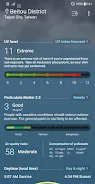
ASUS Weather app comes with RealFeel®.
It is the first temperature index to take into account multiple factors to determine how hot or cold you feels, so you can determine how to dress.

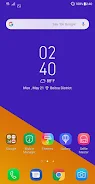
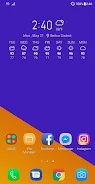
You can even add ASUS Weather widget to your home screen and easily customize to show the weather where you are, where you’re going, or where you dream about going — anywhere on the planet!

Key features
- RealFeel® temperature information with daily charts
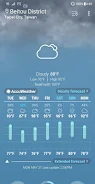
- Daily temperature predictions, with daily highs and lows
- 7-day forecast
- Ultraviolet (UV) index
- Sunrise and sunset time
- Taiwan/China regions: Provides Pollutant Standards Index (PSI) with real-time data on PM2.5 and other air pollutants
- Severe weather alerts, such as high winds, heavy rain, heavy snow, sandstorm, smog, etc.

Notes
1. For accurate and up-to-date weather information, please ensure that you are connected to Wi-Fi or mobile data network when using ASUS Weather.
2. Please also enable your device’s location-detection feature to receive the local weather information.
AD

Download APK (10 MB )

Frequently Asked Questions

What is the latest version of ASUS Weather?
The latest version of ASUS Weather is 31.2.1.12_220718 (1810201060).
Is ASUS Weather free to download?
ASUS Weather is free to download on Android, but may contain optional in-app purchases.
What is the APK file size of ASUS Weather?
The APK file size of ASUS Weather is 10 MB.
Is ASUS Weather safe and virus-free?
Yes, ASUS Weather is completely safe to download and install. The APK is sourced directly from Google Play and verified with the original developer certificate.
How to install ASUS Weather on Android?
Download the APK from this page. On your Android device, open the downloaded file, allow installation from unknown sources if prompted, then tap Install.