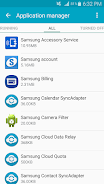
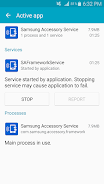
Samsung Accessory Service

Samsung Accessory Service

Samsung Electronics Co., Ltd.
v3.1.96.61111 (319661111) • Updated Mar 17, 2026
3.6 ★
31,713 Reviews
10,000,000+
Downloads
Android 4.0+
Requires
AD
Nome Samsung Accessory Service
Versione Android 4.0
Editore Samsung Electronics Co., Ltd.
Genre COMMUNICATION
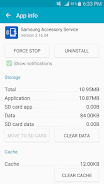
Size 11 MB
Versione 3.1.96.61111 (319661111)
Ultimo aggiornamento il 2026-03-17
Downloads 10,000,000+
Accendilo Google Play


Download Samsung Accessory Service Android

Download APK (11 MB )

Introductions Samsung Accessory Service

Questo servizio ti consente di usare funzioni diverse collegando gli accessori.

Samsung Accessory Service fornisce un ambiente stabile nel quale puoi utilizzare funzioni di diverso tipo collegando gli accessori al dispositivo mobile.
Questo servizio è compatibile con diversi ambienti di connettività e rende efficiente e conveniente l'utilizzo di accessori con il dispositivo mobile tramite applicazioni di gestione,
(ad esempio Samsung Gear Manager, Samsung Camera Manager Inst.).

Samsung Accessory Service può essere utilizzato con gli accessori indicati di seguito quando è collegato a un dispositivo mobile.
- GALAXY Gear, Gear 2, Gear S Series
- Samsung Gear Fit 2
- Samsung NX-1

Samsung Accessory Service offre le funzioni indicate di seguito per gli accessori e per un dispositivo mobile.
- Connessione e invio/ricezione di dati
- Trasferimento di file
- Funzione WebProxy
AD

Download APK (11 MB )

Frequently Asked Questions

What is the latest version of Samsung Accessory Service?
The latest version of Samsung Accessory Service is 3.1.96.61111 (319661111).
Is Samsung Accessory Service free to download?
Samsung Accessory Service is free to download on Android, but may contain optional in-app purchases.
What is the APK file size of Samsung Accessory Service?
The APK file size of Samsung Accessory Service is 11 MB.
Is Samsung Accessory Service safe and virus-free?
Yes, Samsung Accessory Service is completely safe to download and install. The APK is sourced directly from Google Play and verified with the original developer certificate.
How to install Samsung Accessory Service on Android?
Download the APK from this page. On your Android device, open the downloaded file, allow installation from unknown sources if prompted, then tap Install.