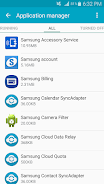
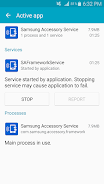
Samsung Accessory Service

Samsung Accessory Service

Samsung Electronics Co., Ltd.
v3.1.96.61111 (319661111) • Updated Mar 17, 2026
3.6 ★
31,713 Reviews
10,000,000+
Downloads
Android 4.0+
Requires
AD
Naam Samsung Accessory Service
Android-versie 4.0
Uitgever Samsung Electronics Co., Ltd.
Genre COMMUNICATION
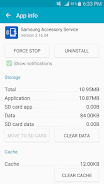
Grootte 11 MB
Versie 3.1.96.61111 (319661111)
Laatst bijgewerkt op 2026-03-17
Downloads 10,000,000+
Download op Google Play


Download Samsung Accessory Service Android

Download APK (11 MB )

Introductions Samsung Accessory Service

Sluit accessoires aan en gebruik tal van functies met deze service.

Samsung Accessory Service is een stabiele omgeving waarin u tal van functies kunt gebruiken door accessoires aan te sluiten op uw mobiel apparaat.
Deze service is compatibel met diverse omgevingen voor verbinding en zorgt ervoor dat het gebruik van accessoires bij uw mobiele apparaat op een efficiënte en handige manier gebeurt via toepassingsbeheer.
(bijv. Samsung Gear Manager, Samsung Camera Manager Inst.)

Samsung Accessory Service kan worden gebruikt met de volgende accessoires indien aangesloten op een mobiel apparaat.
- GALAXY Gear, Gear 2, Gear S Series
- Samsung Gear Fit 2
- Samsung NX-1

Samsung Accessory Service biedt de volgende functies voor accessoires en een mobiel apparaat.
- Verbinding en verzenden/ontvangen van gegevens
- Bestandsoverdracht
- WebProxy-functie
AD

Download APK (11 MB )

Frequently Asked Questions

What is the latest version of Samsung Accessory Service?
The latest version of Samsung Accessory Service is 3.1.96.61111 (319661111).
Is Samsung Accessory Service free to download?
Samsung Accessory Service is free to download on Android, but may contain optional in-app purchases.
What is the APK file size of Samsung Accessory Service?
The APK file size of Samsung Accessory Service is 11 MB.
Is Samsung Accessory Service safe and virus-free?
Yes, Samsung Accessory Service is completely safe to download and install. The APK is sourced directly from Google Play and verified with the original developer certificate.
How to install Samsung Accessory Service on Android?
Download the APK from this page. On your Android device, open the downloaded file, allow installation from unknown sources if prompted, then tap Install.