Camera from Google

Camera from Google

Google LLC
v3.8.482694574_release (35448) • Updated Mar 17, 2026
4.0 ★
10,286 Reviews
10,000,000+
Muat turun
Android 8.0+
Requires
AD
Nama Camera from Google
Versi Android 8.0
Penerbit Google LLC
Genre TOOLS
Saiz 97 MB
Versi 3.8.482694574_release (35448)
Kali terakhir dikemas kini pada 2026-03-17
Muat turun 10,000,000+
Dapatkan di Google Play


Muat turun Camera from Google Android

Download APK (97 MB )

Introductions Camera from Google

Beautiful images, premium features, smart on storage.

The Camera app from Google helps you capture beautiful images, fast.

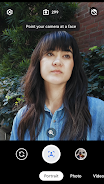
• Use Portrait Mode to give your photos a professional look by focusing on your subject, as the background appears gently blurred.
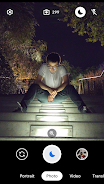
• Capture memories at any time of day without the flash, keeping colors rich and details crisp by using Night Mode (available on select devices).
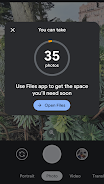
• With smart storage features and early warning notifications, Camera makes sure you never miss a moment by helping you free up space for your photos when you need it.
• With Google Lens built into the Camera app, you can see the world in your language by pointing your camera lens at the foreign text.

Note: Night mode is currently available on select compatible devices only.

Legal disclaimer: For available Google Lens languages go to g.co/help/lens. Some Lens features require an Internet connection.
AD

Download APK (97 MB )

Frequently Asked Questions

What is the latest version of Camera from Google?
The latest version of Camera from Google is 3.8.482694574_release (35448).
Is Camera from Google free to download?
Camera from Google is free to download on Android, but may contain optional in-app purchases.
What is the APK file size of Camera from Google?
The APK file size of Camera from Google is 97 MB.
Is Camera from Google safe and virus-free?
Yes, Camera from Google is completely safe to download and install. The APK is sourced directly from Google Play and verified with the original developer certificate.
How to install Camera from Google on Android?
Download the APK from this page. On your Android device, open the downloaded file, allow installation from unknown sources if prompted, then tap Install.