Camera from Google

Camera from Google

Google LLC
v3.8.482694574_release (35448) • Updated Mar 17, 2026
4.0 ★
10,286 Reviews
10,000,000+
Pobrań
Android 8.0+
Requires
AD
Nazwa Camera from Google
Wersja Androida 8.0
Wydawca Google LLC
Gatunek TOOLS
Rozmiar 97 MB
Wersja 3.8.482694574_release (35448)
Ostatnia aktualizacja 2026-03-17
Pobrań 10,000,000+
Pobierz na Google Play


Pobierz Camera from Google Android

Download APK (97 MB )

Introductions Camera from Google

Beautiful images, premium features, smart on storage.

Aparat Google pozwala na szybkie robienie pięknych zdjęć.

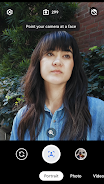
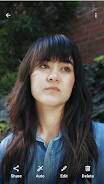
• Użyj trybu portretowego, aby nadać swoim zdjęciom profesjonalny wygląd – ostrość będzie ustawiona na fotografowanym obiekcie, a tło będzie lekko rozmyte.
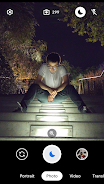
• Tryb nocny (dostępny na wybranych urządzeniach) umożliwia robienie wyraźnych zdjęć o żywych kolorach bez użycia lampy błyskowej.
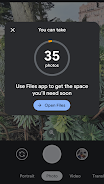
• Funkcje inteligentnej pamięci oraz ostrzeżenia o kończącym się miejscu pomogą wcześniej zwolnić pamięć na nowe fotografie. Dzięki temu nigdy nie stracisz idealnego ujęcia.
• Za pomocą Obiektywu Google w aplikacji Aparat możesz oglądać świat w swoim języku. Wystarczy, że skierujesz obiektyw aparatu na tekst w języku obcym.

Uwaga: tryb nocny jest obecnie dostępny tylko na wybranych zgodnych urządzeniach.

Wyłączenie odpowiedzialności: listę języków dostępnych w Obiektywie Google znajdziesz na stronie g.co/help/lens. Niektóre funkcje Obiektywu wymagają połączenia z internetem.
AD

Download APK (97 MB )

Frequently Asked Questions

What is the latest version of Camera from Google?
The latest version of Camera from Google is 3.8.482694574_release (35448).
Is Camera from Google free to download?
Camera from Google is free to download on Android, but may contain optional in-app purchases.
What is the APK file size of Camera from Google?
The APK file size of Camera from Google is 97 MB.
Is Camera from Google safe and virus-free?
Yes, Camera from Google is completely safe to download and install. The APK is sourced directly from Google Play and verified with the original developer certificate.
How to install Camera from Google on Android?
Download the APK from this page. On your Android device, open the downloaded file, allow installation from unknown sources if prompted, then tap Install.