AdGuard : Content Blocker

AdGuard : Content Blocker

AdGuard Software Limited
v2.8.0 (22000250) • Updated Feb 23, 2026
3.5 ★
102,153 Reviews
10,000,000+
Pobrań
Android 5.0+
Requires
AD
Nazwa AdGuard : Content Blocker
Wersja Androida 5.0
Wydawca AdGuard Software Limited
Gatunek TOOLS
Rozmiar 6 MB
Wersja 2.8.0 (22000250)
Ostatnia aktualizacja 2026-02-23
Pobrań 10,000,000+
Pobierz na Google Play


Pobierz AdGuard : Content Blocker Android

Download APK (6 MB )

Introductions AdGuard : Content Blocker

Ad Blocker App: Block All Online Ads in Samsung Internet and Yandex Browser

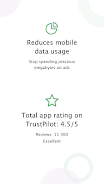
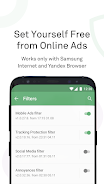
AdGuard Bloker Zawartości jest aplikacją, która blokuje wszystkie reklamy tylko w Yandex Browser i Samsung Internet Browser bez wymogu roota swojego urządzenia. AdGuard Bloker Zawartości nie blokuje reklam w żadnych innych aplikacjach.
Dostosuj aplikację do swoich potrzeb - wybierz dowolny z ponad 20 specyficznych dla języka i ogólnie dostępnych list reguł filtrowania.

Aplikacja jest dostępna na zasadach open source i można ją znaleźć na GitHub: https://github.com/AdguardTeam/ContentBlocker

Polub nas i pytaj o cokolwiek korzystając z mediów społecznościowych:
• Facebook: https://www.facebook.com/AdguardEn/
• Twitter: https://twitter.com/AdguardEn
• Instagram: https://www.instagram.com/adguard/
• Google+: https://plus.google.com/+AdguardEn/
AD

Download APK (6 MB )

Frequently Asked Questions

What is the latest version of AdGuard : Content Blocker?
The latest version of AdGuard : Content Blocker is 2.8.0 (22000250).
Is AdGuard : Content Blocker free to download?
AdGuard : Content Blocker is free to download on Android, but may contain optional in-app purchases.
What is the APK file size of AdGuard : Content Blocker?
The APK file size of AdGuard : Content Blocker is 6 MB.
Is AdGuard : Content Blocker safe and virus-free?
Yes, AdGuard : Content Blocker is completely safe to download and install. The APK is sourced directly from Google Play and verified with the original developer certificate.
How to install AdGuard : Content Blocker on Android?
Download the APK from this page. On your Android device, open the downloaded file, allow installation from unknown sources if prompted, then tap Install.