Chrome 遠端桌面

Chrome 遠端桌面

Google LLC
vTWA 1.5.2 (1000000016) • Updated Mar 17, 2026
2.6 ★
225,071 Reviews
10,000,000+
下載
Android 12+
Requires
AD
姓名 Chrome 遠端桌面
安卓版本 12
出版商 Google LLC
類型 TOOLS
尺寸 4 MB
版本 TWA 1.5.2 (1000000016)
最後更新於 2026-03-17
下載 10,000,000+
Get it On Google Play


下載 Chrome 遠端桌面 Android

Download APK (4 MB )

Introductions Chrome 遠端桌面

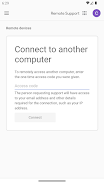
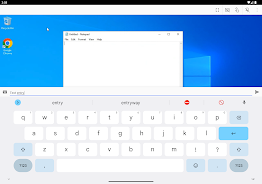
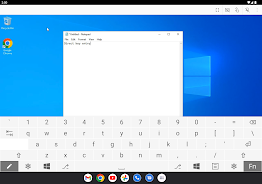
透過 Android 裝置安全存取你的電腦。

透過 Android 裝置安全存取你的電腦。

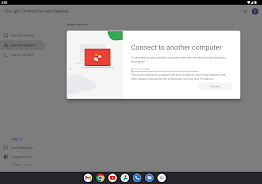
• 在你的電腦上,透過 Chrome 遠端桌面應用程式設定遠端存取權限。你可前往 Chrome 線上應用程式商店 (https://chrome.google.com/remotedesktop) 下載該應用程式。
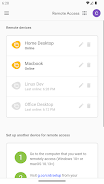
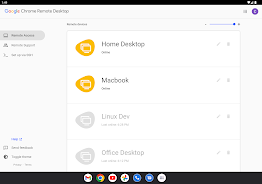
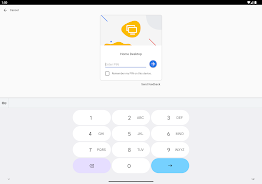
• 在 Android 裝置上開啟應用程式,然後輕觸任一線上電腦進行連線。

如需隱私權相關資訊,請參閱《Google 隱私權政策》(http://goo.gl/SyrVzj) 和《Chrome 隱私權政策》(http://goo.gl/0uXE5d)。
AD

Download APK (4 MB )

Frequently Asked Questions

What is the latest version of Chrome 遠端桌面?
The latest version of Chrome 遠端桌面 is TWA 1.5.2 (1000000016).
Is Chrome 遠端桌面 free to download?
Chrome 遠端桌面 is free to download on Android, but may contain optional in-app purchases.
What is the APK file size of Chrome 遠端桌面?
The APK file size of Chrome 遠端桌面 is 4 MB.
Is Chrome 遠端桌面 safe and virus-free?
Yes, Chrome 遠端桌面 is completely safe to download and install. The APK is sourced directly from Google Play and verified with the original developer certificate.
How to install Chrome 遠端桌面 on Android?
Download the APK from this page. On your Android device, open the downloaded file, allow installation from unknown sources if prompted, then tap Install.